A 46-page playbook for Claude Code
Build real websites with Claude Code, without the mess.
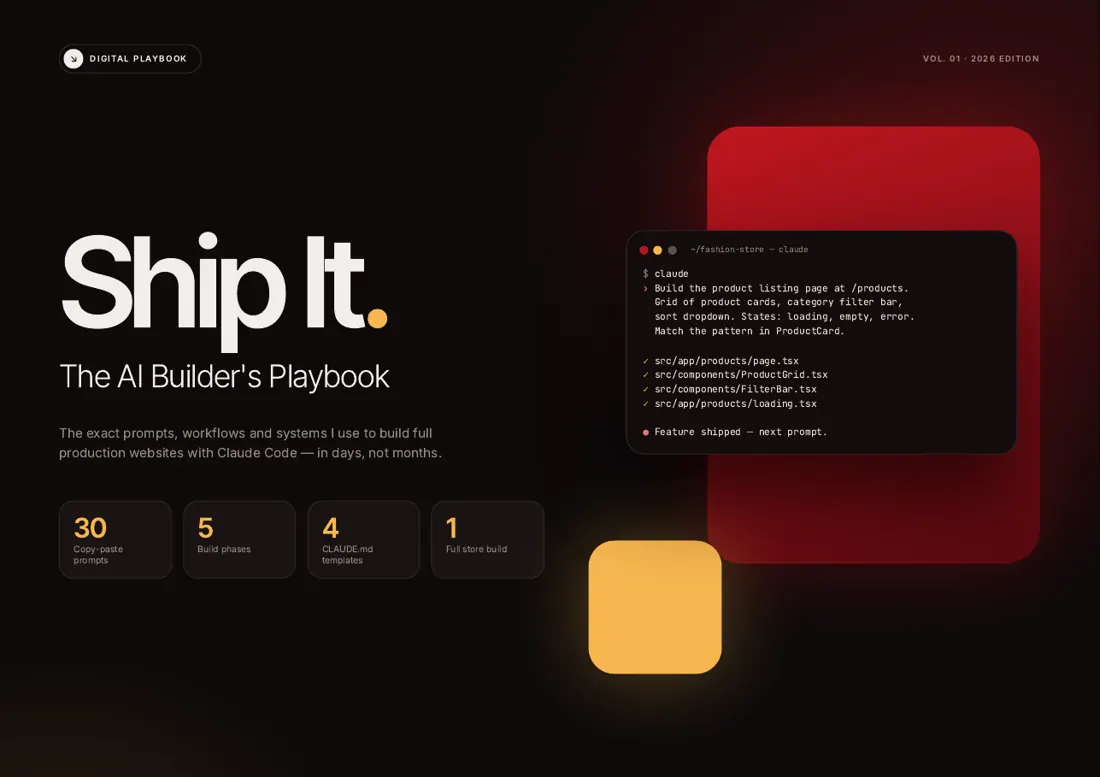
I’ve shipped 8+ production sites with Claude Code. The difference was never a clever prompt. It was what Claude knew before the prompt, and the order I built things in. This is that process, written down.
PDF, instant download. 30 prompts, 4 templates, one full build.
Sound familiar?
If you’ve built with AI before, you’ve probably said one of these.
- “I asked for one small change and it rewrote half the site.”
- “Every new session I explain the whole project again.”
- “It worked yesterday. Today nothing works and I don’t know why.”
- “It looks exactly like every other AI-made website.”
None of this means Claude is bad at code. It means it was working without context and without a plan. Give it both, and it behaves like a careful developer instead of an eager intern.
The process
Five steps. I use them on every project.
- 1
Give Claude a memory
30 min
Write a CLAUDE.md that explains the project, the stack and the rules before any code exists.
→ Claude starts every session already knowing your project.
- 2
Plan before building
1–2 hours
Database, routes and components, decided once and written down.
→ A plan every later prompt can point to.
- 3
Build one feature at a time
2–5 days
One feature per session. Review it, then move on.
→ Nothing gets rewritten behind your back.
- 4
Polish
1 day
Mobile, empty states, loading states, accessibility.
→ It feels finished, not generated.
- 5
Ship it
1–2 hours
Vercel, environment variables, domain, payments, checks.
→ A live site people can pay on.
From an empty folder to a live site: one day for a landing page, up to a week for a full app.
What a good prompt looks like
The same request, written two ways.
What most people type
make me a products page with filters
Claude has to guess the layout, the data, the states and the style. It guesses differently every time, and the page never matches the rest of the site.
Prompt P-11 from the book
fill in the [brackets]
Build the product listing page at /products.

Features:
- Grid of product cards (2 cols mobile, 3-4 cols desktop)
- Each card shows: image, name, price, category badge
- Category filter bar at the top (horizontal scroll on mobile)
- Sort dropdown: price low-high, price high-low, newest

Data: fetch products from [Supabase table / API]
Images: use Next.js Image component with proper sizes

Product card hover state: subtle lift + shadow.
Handle products with no image gracefully.
There are 30 of these, one for each part of a real build, from the first setup to error handling.
Look inside
Real pages from the book.
No stock mockups. These are pages from the PDF you’ll download. Tap a page to read it full size.
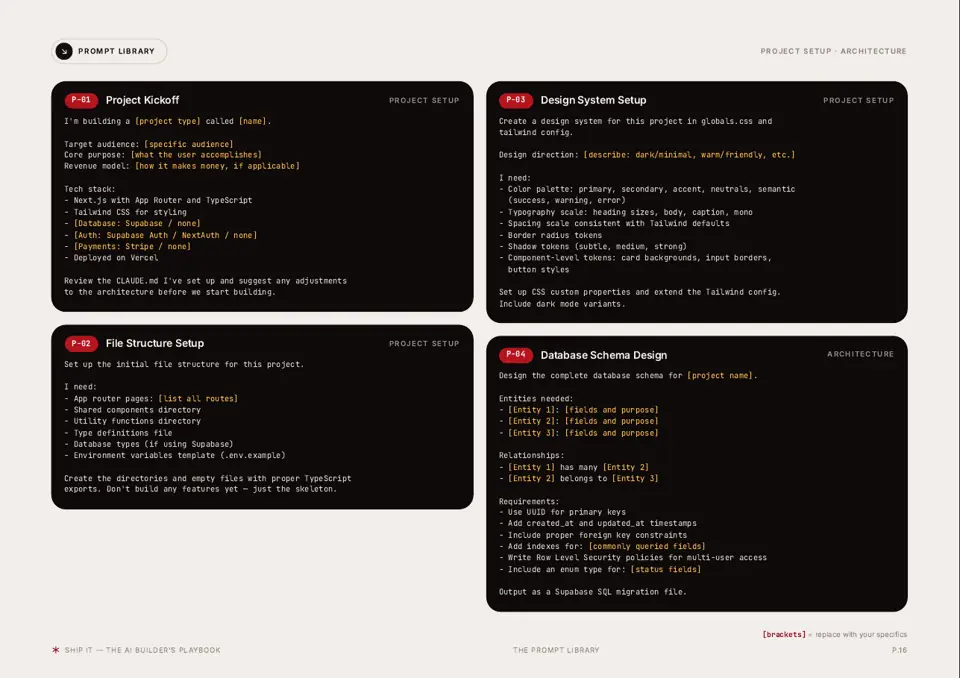
30 copy-paste prompts, in build order
The 5-step workflow, with time budgets
4 CLAUDE.md templates to drop in
A full 3-day store build, session by session
Deployment checklist and common fixes
A printable one-page cheat sheet
What you can build
Six kinds of projects people pay for.
Each one has a matching template and prompts in the book. Build them for yourself, or for clients. The prices are what freelancers typically charge, so you know what the work is worth.
| Project | Build time with the playbook | Typical price |
|---|---|---|
| Landing pageSales or launch page with a signup form | 1 day | $500–1,500 |
| Local business site4–6 pages, contact and booking | 2 days | $800–2,500 |
| Portfolio or agency siteCase studies, services, contact | 2 days | $1,000–3,000 |
| Online storeCatalog, cart, Stripe checkout | 3 days | $2,000–5,000 |
| Course platformLessons, accounts, payments | 4 days | $3,000–8,000 |
| SaaS MVPAuth, dashboard, billing, one core feature | 5 days | $4,000–10,000 |
Typical freelance rates, not a promise of income. What you earn depends on your skills, your clients and your market.
The book walks through the online store, session by session: three days, about 15 hours of actual work. Without a plan, the same store easily turns into three weeks of fixing what the last prompt broke.
Honestly
Who this is for, and who it isn’t.
It’s for you if…
- You’ve tried Claude Code and the results were hit or miss.
- You build sites for clients and want to deliver faster.
- You have an idea and want it live this month, not next year.
- You can describe what you want, even if you don’t write much code.
Skip it if…
- You want one magic prompt that builds everything. It doesn’t exist.
- You don’t want to understand what you’re shipping.
- You’re not willing to review and iterate.
Pricing
Pick the one that fits. Pay once.
Every plan includes the full playbook. The bigger ones add what you need to turn it into client work.
Playbook
Build your own sites in days, not months.
$49one-time
The full system: playbook, templates and one complete build.
- Playbook PDF: 46 pages, 30 prompts, 5-step workflow
- 4 CLAUDE.md templates
- 3-day online store walkthrough
- Not included: Client Kit: pricing, proposals, outreach, objections
- Not included: 2 more walkthroughs: 1-day landing page, 5-day SaaS MVP
- Not included: 2 starter projects: online store + landing page
- Not included: Team license: share with up to 5 people
Builder
best for freelancersStart selling websites to clients.
$99one-time
Everything in Playbook, plus the Client Kit and 2 more walkthroughs.
- Playbook PDF: 46 pages, 30 prompts, 5-step workflow
- 4 CLAUDE.md templates
- 3-day online store walkthrough
- Client Kit: pricing, proposals, outreach, objections
- 2 more walkthroughs: 1-day landing page, 5-day SaaS MVP
- Not included: 2 starter projects: online store + landing page
- Not included: Team license: share with up to 5 people
Agency
Run client work as a small agency or team.
$199one-time
Everything in Builder, plus 2 starter projects and a 5-person license.
- Playbook PDF: 46 pages, 30 prompts, 5-step workflow
- 4 CLAUDE.md templates
- 3-day online store walkthrough
- Client Kit: pricing, proposals, outreach, objections
- 2 more walkthroughs: 1-day landing page, 5-day SaaS MVP
- 2 starter projects: online store + landing page
- Team license: share with up to 5 people
Instant download · One-time payment · Secure checkout by Gumroad. Because it’s a download, all sales are final, so look inside first.
Not ready to buy?
Start with the free guide: 7 signs your site looks AI-made.
The glows, the badges, the “unlock your potential” copy. Why each one happens, and a prompt that fixes it. Ten pages, free.
Just your email. No spam.
Questions
Things people ask before buying.
Do I need to know how to code?
It helps to know a little HTML and CSS, but you don’t need to be a developer. The playbook is mostly about describing what you want clearly, in the right order. Claude writes the code; you review it.
Is this just a list of prompts?
No. The prompts are the smallest part. What makes them work is the context file, the order you run them in, and checking each result before moving on. That’s what the book teaches.
I already use Claude Code. Will I learn anything?
Probably the parts most people skip: a proper CLAUDE.md, planning before building, and a repeatable checklist for polish and deployment.
What will I be able to do after it?
Write a CLAUDE.md that keeps Claude on track, plan a site before any code exists, build it one reviewed feature at a time, polish it so it doesn’t look generated, and deploy it with a checklist. The bigger plans add pricing and selling that work to clients.
Does it work with Cursor or other tools?
It’s written for Claude Code, and the templates and commands assume it. What carries over to Cursor, Windsurf or Copilot: the planning, the build order, the review habit and most of the prompts (paste them as they are). What doesn’t: the CLAUDE.md file itself (other tools have their own rules file, and you’d copy the content across) and the Claude Code commands.
What do I actually get?
A 46-page PDF you can download straight away, plus the 4 templates as separate files you can copy into your projects.
Can I use it for client work?
Yes, with every plan. Build whatever you like for clients. The Agency plan also adds starter code you can ship in client projects and lets up to 5 teammates use everything.
Which plan should I pick?
Playbook if you’re building your own projects. Builder if you want to sell websites: it adds the Client Kit for pricing, proposals and finding clients. Agency if you work with a team or want ready-made starter projects.
What if I get stuck?
Email me at hello@moltenbuild.com with what you tried and what happened. I answer every email myself, usually within a day or two.
Can I get a refund?
Because it’s an instant download, all sales are final. That’s why the real pages are on this page: look inside before you buy. If a file is broken or missing, email me and I’ll sort it out.
Are the prices on this page what I’ll earn?
No. They’re typical freelance rates for each type of project, to give you a sense of what this work is worth. What you earn depends on your skills, your clients and your market.
A short note
When I started building with Claude Code, I wasted weeks. Sites that broke when I touched them, prompts I rewrote ten times, designs that looked like everyone else’s.
What fixed it wasn’t a secret. It was boring stuff: a context file, a plan, one feature at a time, and a checklist before launch. I wrote it all down so you don’t have to learn it the slow way.
If it helps you ship one project you would have abandoned, it was worth it.
Molten